A client tells you they need a new website.
They want it to feel more modern, generate more leads, improve SEO and be easier for their team to update. They like three competitor websites and would ideally like to launch in eight weeks.
That is useful context.
It is not yet a useful website brief.
Your design team still does not know who the most important users are. Your developer does not know what functionality is required. Nobody knows who is writing the content, what needs migrating from the existing site, which systems need integrating or who has final approval.
A good client website brief fills those gaps.
A website brief should give your agency enough business context, user information, requirements and project constraints to begin proper discovery and scoping. It should not force the client to design the solution for you.
That distinction matters.
The client usually knows their business better than you do.
Your agency should know how to turn that information into a website.
What is a client website brief?
A client website brief is a document that captures the information an agency needs to understand why a website project exists, who it needs to serve, what it needs to accomplish, what known requirements exist and what constraints could affect delivery.
It is an input into the project.
It is not necessarily:
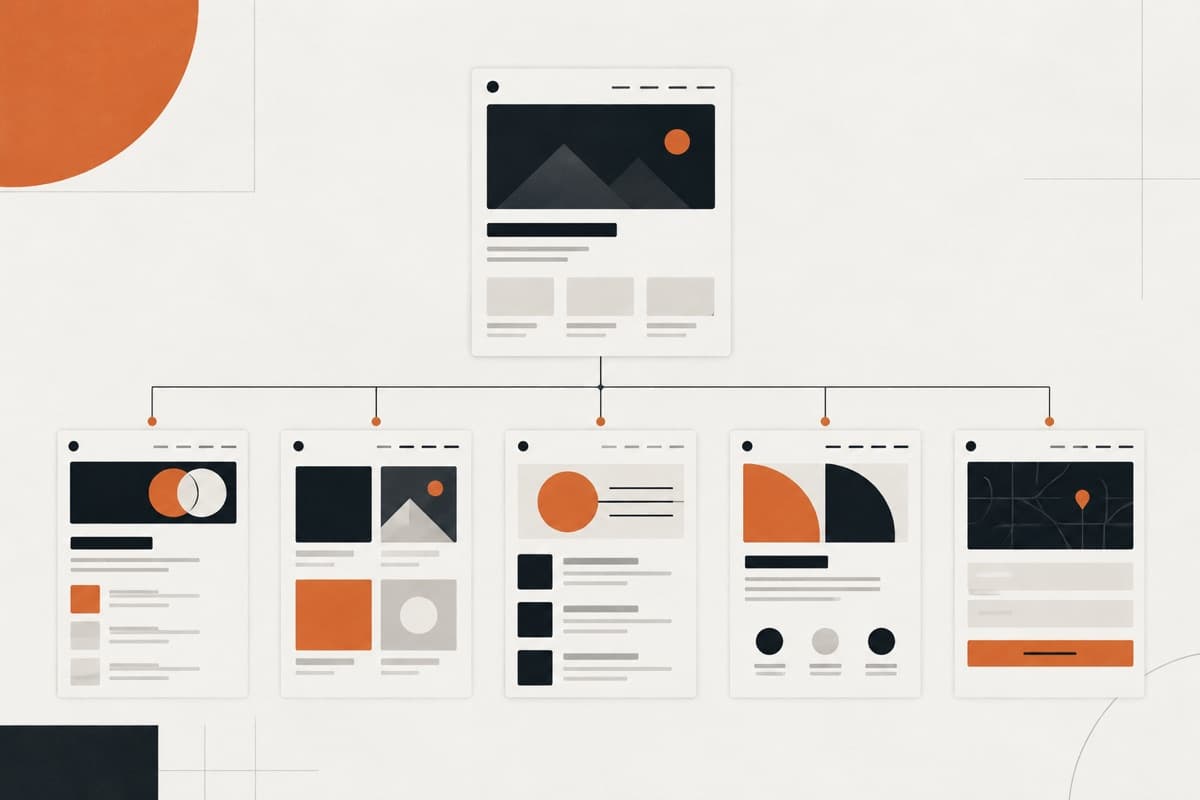
- the final sitemap;
- the technical specification;
- the project scope;
- the proposal;
- the statement of work;
- or the final solution.
A good brief helps the agency understand what needs investigating next.
That is important because some answers should come from the client, while others should emerge through discovery.
What should a client website brief include?
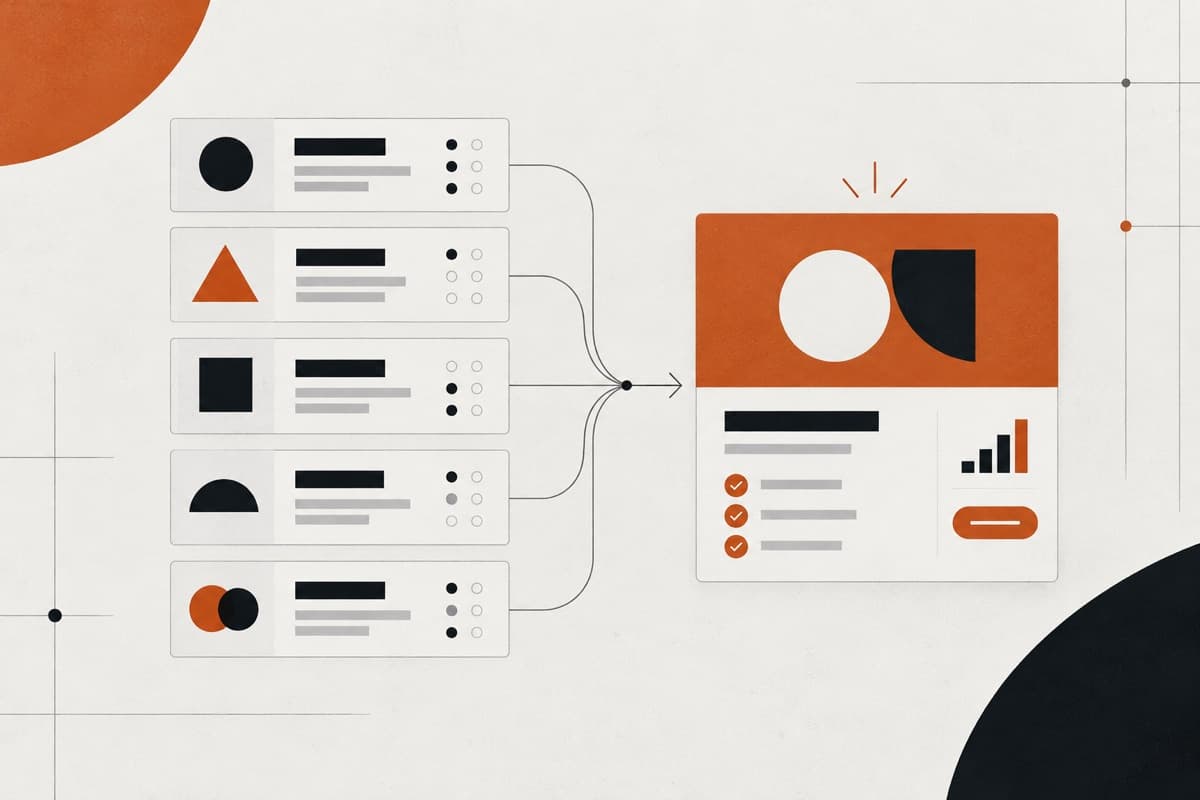
For most agency website projects, the brief should capture nine areas:
- Business context
- Reason for the website project
- Audience and user needs
- Website goals and success criteria
- Existing website and content
- Content responsibilities
- Functionality and existing systems
- Technical, accessibility and compliance constraints
- Timeline, budget, stakeholders and dependencies
You do not necessarily need 50 questions under each heading.
The objective is to capture enough information to identify what is known, what still needs discovery and what could materially affect the eventual project scope.
1. What should you ask about the client's business?
Start with the business before discussing the website.
This might feel obvious, but website briefs often move too quickly into questions about design style, page count and technology.
First understand what the organisation actually does.
Useful questions include:
- What does the business sell?
- Which services or products are most important?
- Who are the main customer groups?
- Which markets or geographical areas matter?
- How does the business currently generate customers?
- What differentiates the business from competitors?
- Are there particular products or services the business wants to grow?
- Is the organisation repositioning, expanding or changing direction?
- Are there important commercial priorities this website needs to support?
You do not need the client's complete business plan.
You need enough context to understand the decisions the website will eventually need to support.
Why this matters
Imagine a law firm offers eight services.
At first glance, all eight might appear equally important.
During briefing, however, you learn that three practice areas generate most of its growth and the business wants to attract larger corporate clients rather than small one-off matters.
That information affects:
- navigation;
- content hierarchy;
- homepage messaging;
- service-page prominence;
- proof;
- conversion paths;
- and potentially the sitemap itself.
The brief should uncover that before the agency starts arranging pages.
2. Why is the client commissioning the website now?
One of the most useful questions in a website brief is:
Why is this project happening now?
The answer often reveals considerably more than asking:
“What type of website do you want?”
Possible triggers include:
- the business has repositioned;
- the existing site no longer reflects its services;
- leads are poor quality;
- the website is difficult to update;
- a rebrand is underway;
- the company is entering a new market;
- ecommerce requirements have changed;
- the existing platform is difficult to maintain;
- the site has accumulated technical problems;
- a campaign, product launch or funding event is approaching.
Then ask:
What is wrong with the current situation?
Useful follow-ups include:
- What frustrates you about the existing website?
- What do customers struggle to find?
- What does your internal team struggle to manage?
- What feedback do you hear from prospects?
- Where does the current experience break down?
- What should be materially different after this project?
This moves the discussion from:
“We need a redesign.”
to:
“Here is the problem the redesign needs to solve.”
That is a much better starting point.
GOV.UK's current discovery guidance similarly recommends understanding who users are, what they are trying to achieve, how they currently do it and what problems or frustrations they experience before planning or building a service.
3. What should the brief ask about the website's users?
Avoid stopping at:
“Who is your target audience?”
You are likely to receive something broad such as:
“SMEs in the UK.”
That may be accurate but it gives your design team very little to work with.
Instead, try to understand:
- the main groups of people using the website;
- why each group visits;
- what information they need;
- what decisions they are trying to make;
- what objections or questions they typically have;
- what they should be able to do next.
A stronger question is:
Who are the three most important types of people who will use this website, and what is each trying to accomplish?
For example:
Audience 1: Prospective customers
They need to:
- understand the service;
- determine whether the company fits their situation;
- see relevant proof;
- understand the next step;
- make an enquiry.
Audience 2: Existing customers
They may need to:
- access support;
- find documentation;
- contact their account team;
- manage an account.
Audience 3: Prospective employees
They may need to:
- understand company culture;
- view open positions;
- submit an application.
Now the agency can begin thinking in terms of user journeys rather than simply pages.
Research and design guidance from GOV.UK makes the same broader point: understanding users means learning what they are trying to do, how they currently do it and what barriers prevent them from getting the outcome they need.
4. What goals should the website brief capture?
Clients often describe website goals using broad phrases:
- increase conversions;
- generate more leads;
- improve SEO;
- strengthen the brand;
- increase engagement.
Those may all be legitimate.
But the brief should make them more concrete.
Ask:
What should people do differently because this website exists?
Possible outcomes might include:
- submit a qualified enquiry;
- request a consultation;
- book an appointment;
- buy a product;
- request a demo;
- apply for a position;
- download a resource;
- join a mailing list;
- locate a branch;
- understand a complicated service;
- complete a self-service task instead of contacting support.
Then determine priority.
A website cannot treat every action as equally important.
Ask:
- What is the primary website objective?
- What are the secondary objectives?
- Which conversions matter commercially?
- Which services or products should receive the most attention?
- Are there existing analytics that show how people currently use the site?
- How will the client decide whether the project has been successful?
Avoid inventing KPIs during briefing
If the client says:
“We want 40% more enquiries.”
ask why.
Is that based on:
- historical performance;
- marketing forecasts;
- campaign investment;
- internal targets;
- or simply an aspiration?
The brief should capture client objectives.
It should not turn unsupported numbers into promises.
5. What should you ask about the existing website?
For a redesign, the existing site is part of the project scope whether or not anyone has discussed migration yet.
Collect basic information such as:
- current website URL;
- current CMS or platform;
- hosting provider;
- domain ownership;
- analytics access;
- Search Console access where relevant;
- important third-party services;
- current forms;
- CRM or marketing integrations;
- existing content types;
- approximate content volume.
Then ask what needs to happen to the existing content.
What should stay?
For example:
- service pages;
- articles;
- case studies;
- products;
- landing pages;
- team profiles;
- downloadable resources.
What should disappear?
Some content may be:
- obsolete;
- duplicated;
- poorly performing;
- no longer commercially relevant;
- tied to services the company no longer offers.
What needs consolidating?
A redesign may turn:
- four similar service pages into one;
- several old resources into a new content hub;
- duplicate location pages into a better structure.
That is not simply a design question.
It is a migration question.
Does the brief need to identify SEO migration requirements?
Yes, if the website already has meaningful search visibility or existing URLs may change.
The brief does not need to contain the final redirect map.
But it should identify that migration work exists.
Ask:
- Are existing URLs likely to change?
- Does the site currently receive meaningful organic traffic?
- Are there important ranking pages?
- Are multiple sites or domains being consolidated?
- Who will determine which content remains?
- Is SEO migration included in the agency's responsibility?
Google's current site-migration documentation recommends preparing a mapping between existing and new URLs and implementing redirects when URLs change. That is precisely why migration needs to be identified during briefing rather than discovered shortly before launch.
A useful brief might therefore state:
Existing website contains approximately 200 indexed pages and organic search is an important acquisition channel. Existing URL performance must be considered during discovery and migration planning.
That is enough for the briefing stage.
The detailed migration plan comes later.
6. What should the brief ask about website content?
Content is often treated as something that will somehow appear between design approval and launch.
That is risky.
The brief should identify:
- what content already exists;
- what needs rewriting;
- what needs creating;
- who creates it;
- who approves it;
- when it will be available.
Consider:
Copy
- Existing copy reused?
- Existing copy edited?
- Entirely new copy?
- Written by client?
- Written by agency?
- Written by another supplier?
Photography and imagery
- Existing brand library?
- New photoshoot required?
- Stock photography allowed?
- Client responsible?
- Agency responsible?
Video
- Existing?
- New production?
- Hosted externally?
- Embedded from another platform?
Proof
- Case studies?
- Testimonials?
- Reviews?
- Client logos?
- Certifications?
- Awards?
Structured information
For ecommerce or larger CMS projects:
- products;
- categories;
- specifications;
- prices;
- locations;
- team data;
- resources;
- events.
Legal and compliance content
For example:
- privacy policy;
- cookie information;
- terms;
- disclaimers;
- regulated statements.
Your agency should not automatically assume responsibility for producing specialist legal or regulatory content.
Who should be responsible for website content?
Do not leave this as:
“Client to provide content.”
A stronger brief identifies responsibilities.
For example:
Content area Responsibility Status
Core website Client Needs rewriting copy
Case studies Client 6 available
UI microcopy Agency To be created
Photography Client Existing library
Blog migration Agency Approx. 70 posts
Legal pages Client/legal adviser Existing copy under review
This immediately reveals dependencies.
It also exposes a common project risk:
The client might be responsible for content without actually having the resources to produce it.
Practitioner discussions around agency and website projects repeatedly describe delayed client content, unclear requirements and fragmented approvals as causes of projects extending beyond the original expectation. These discussions are anecdotal rather than statistical evidence, but they are useful signals of recurring delivery problems.
A good brief identifies those dependencies before production begins.
7. What functionality should be included in the website brief?
The client does not necessarily need to write a technical specification.
They do need to explain what users and staff should be able to do.
Ask about required actions.
For example:
- submit an enquiry;
- book an appointment;
- buy a product;
- pay online;
- search content;
- filter resources;
- register an account;
- log in;
- save favourites;
- download gated content;
- upload files;
- apply for a job;
- find a location;
- request a quote;
- compare products.
At briefing stage, the purpose is to identify functionality that needs further scoping.
Do not assume a feature label tells you enough.
“Login”, for example, could mean basic email/password authentication or a much larger authentication system involving verification, password recovery, social sign-in, permissions and administration. A recent practitioner discussion about scope creep used almost exactly this kind of ambiguity to illustrate how vague initial requirements can later be interpreted as changing scope.
So the brief might say:
Registered users need to access customer-only resources. Exact authentication and permission requirements need discovery.
That is useful.
It identifies the requirement without pretending the solution is already known.
What integrations should you ask about?
Ask the client what systems the business currently uses.
Common examples include:
- CRM;
- email marketing;
- booking software;
- payment gateway;
- ecommerce platform;
- ERP;
- recruitment software;
- membership platform;
- analytics;
- customer support software;
- inventory systems;
- internal databases.
Then ask:
- What information needs to move between the website and this system?
- What does the existing process look like?
- Does the client already have appropriate accounts?
- Is there an existing integration?
- Who manages the third-party platform?
Again, the brief identifies the requirement.
Technical discovery determines how it will work.
8. What technical information should the client provide?
This is where agencies need to avoid making clients solve problems they hired the agency to solve.
A client may not know whether WordPress, Framer, Shopify or a custom application is most appropriate.
They may, however, know that:
- five internal staff need to edit the website;
- content is updated daily;
- ecommerce is essential;
- their IT department requires specific hosting;
- customer data must remain in certain systems;
- the company already operates on Shopify;
- an internal procurement policy restricts vendors.
Those are useful facts.
The agency can use them to make technical recommendations.
Should accessibility requirements be included in the brief?
Where accessibility requirements are relevant, yes.
Useful questions include:
- Does the organisation have an accessibility policy?
- Is a particular accessibility standard required?
- Are there procurement or contractual requirements?
- Is formal accessibility testing expected?
- Are there internal accessibility stakeholders?
- Does the client's sector impose specific obligations?
Current W3C guidance recommends establishing accessibility goals, scope, responsibilities, resources and evaluation practices as part of planning. It also emphasises that accessibility responsibility spans multiple roles rather than belonging only to developers.
The briefing stage is therefore a sensible time to identify those expectations.
It is much safer than discovering during final QA that the client expected a level of accessibility validation nobody included in the project.
What other constraints should the brief identify?
Depending on the client, ask about:
- hosting restrictions;
- security requirements;
- approved vendors;
- browser requirements;
- internal IT policies;
- legal review;
- data protection requirements;
- industry-specific compliance;
- procurement processes;
- approval gates;
- localisation or multilingual requirements.
Not every five-page marketing site needs a detailed answer to every one of these.
The purpose is to identify constraints when they materially affect the project.
9. What should the brief ask about budget, timeline and stakeholders?
A website brief that ignores delivery constraints is incomplete.
Timeline
Ask:
- When would the client like to launch?
- Why does that date matter?
- Is it fixed or preferred?
- Is there a campaign, event, product launch or rebrand connected to it?
- Are other projects dependent on the website?
- What internal approvals must happen before launch?
There is a difference between:
“We'd like to launch in September.”
and:
“Our national advertising campaign starts on 14 September and every advert points to the new site.”
The second date has considerably more operational significance.
Should the website brief include budget?
Usually, yes.
Budget gives the agency a constraint within which to recommend a solution.
It can help answer:
- whether the desired project is commercially realistic;
- how much discovery is appropriate;
- which functionality should be prioritised;
- whether the project should be phased;
- whether the client and agency are commercially aligned.
The question does not need to be adversarial.
You might ask:
Has a budget or investment range been allocated to the project?
If there is no established budget, that is useful information too.
It simply means the agency should avoid pretending there is perfect alignment until commercial expectations have been discussed.
Who needs to approve the website?
Collect:
- project owner;
- day-to-day contact;
- subject-matter experts;
- marketing stakeholders;
- technical stakeholders;
- legal/compliance reviewers;
- final decision-maker.
Then ask:
Who has final approval?
This is one of the highest-value operational questions in the brief.
A project with one decision-maker and a project with six independent approvers should not be managed as though they are identical.
What dependencies should the brief identify?
A dependency is something the project needs but your delivery team does not entirely control.
Examples include:
- brand guidelines still being developed;
- copy still being written;
- photography not yet commissioned;
- a CRM migration happening simultaneously;
- product data being cleaned;
- legal approval;
- third-party API access;
- DNS credentials;
- internal IT involvement;
- recruitment-system procurement.
Write these down.
A deadline without its dependencies can create false confidence.
What should clients decide, and what should the agency decide?
One of the easiest ways to create a poor briefing form is to ask the client to make all the decisions.
That defeats the purpose of hiring an expert.
A useful distinction is:
Client should help you Agency should normally determine or understand recommend
Business goals Website strategy
Important audiences Information architecture
User/customer problems User journeys
Commercial priorities Page hierarchy
Existing content Content structure
Internal systems Integration approach
Editing requirements CMS/platform recommendation
Brand constraints UI execution
Required business functionality Technical implementation
Internal stakeholders Project workflow
Compliance requirements Testing approach
This does not mean clients have no say in the right-hand column.
It means the agency should not expect them to arrive with the solution already designed.
Ask for facts before asking for technology
Instead of:
Which CMS would you like?
ask:
Who needs to update the website, what will they update and how often?
Instead of:
How many CMS collections do you need?
ask:
What types of content does your team publish repeatedly?
Instead of:
Do you want WordPress or Framer?
ask:
What does your internal team need to be able to manage after launch?
The client's answers give you the context required to recommend the solution.
Should you ask clients which websites they like?
Yes, but do not stop there.
“What websites do you like?” often produces links without useful explanation.
Ask:
What specifically do you like about each one?
The client might mean:
- typography;
- whitespace;
- navigation;
- animation;
- tone;
- editorial structure;
- product presentation;
- photography;
- information density;
- simplicity;
- perceived premium quality.
Those are very different design signals.
Likewise, ask:
Are there websites you dislike, and why?
That can reveal useful boundaries.
But inspiration should remain one input.
The project should not become an exercise in combining three competitor websites.
What is the difference between a website brief and a website scope?
These documents solve different problems.
Stage Main question
Brief What do we know about the business, users, requirements and constraints?
Discovery What needs investigating before we define the solution?
Scope What exactly are we agreeing to deliver?
Quote/proposa What will it cost, how long will it take and under what commercial terms? l
Consider a simple example.
Website brief
The client's sales team uses HubSpot and all website enquiries should enter the CRM.
Useful.
But not yet scoped.
Discovery
You determine:
- which forms are required;
- which HubSpot account is used;
- what fields need collecting;
- whether consent fields are required;
- what happens after submission;
- whether lead-routing workflows already exist.
Scope
You might then define:
Implement two agreed website forms using HubSpot's native forms integration, including agreed fields, validation and confirmation states.
Quote
That defined work can now be estimated and priced.
The brief tells you what needs understanding. The scope tells you what will be delivered.
This distinction is critical.
Do not take a client's initial brief, attach a price to it and assume you have a complete project scope.
How detailed should a website brief be?
A website brief should be detailed enough to expose the important business context, requirements, constraints and unknowns, but short enough that the client can realistically complete it.
It does not need to contain:
- final wireframes;
- detailed technical architecture;
- complete sitemap;
- exact development specifications;
- exhaustive acceptance criteria;
- final migration mapping.
Those belong later when appropriate.
For many agency projects, a structured document followed by a discovery conversation is more useful than an enormous form.
A 70-question questionnaire does not automatically produce better information.
Sometimes it produces 50 rushed answers.
Use the brief to make the conversation better.
Do not use it to avoid having the conversation.
What if the client cannot answer everything?
That is normal.
In fact, an unanswered question can be extremely useful.
Suppose you ask:
Which existing website pages are responsible for most of your organic traffic?
and the client says:
We don't know.
That tells you analytics and SEO review may be needed during discovery.
Or:
Which customer group is most important for the new site?
and three stakeholders give three different answers.
That reveals a strategic decision the project needs to resolve.
A simple way to classify answers is:
Known
The client has reliable information.
HubSpot is our CRM and all sales enquiries currently enter it.
Suspected
The client has a working hypothesis.
We believe procurement managers are the main website decision-makers, but we have not validated that.
Unknown
Further investigation is required.
We do not know which existing pages should be retained.
Unknown does not mean failure.
A good brief should expose uncertainty instead of hiding it.
What should not be included as a client decision?
Unless the client has a legitimate technical requirement or internal constraint, avoid requiring them to determine:
- framework;
- development architecture;
- component structure;
- CMS data model;
- responsive breakpoints;
- hosting architecture;
- detailed SEO migration approach;
- accessibility implementation;
- testing methodology;
- exact sitemap.
You can certainly collect preferences.
But there is an important difference between:
“Our internal technology policy requires Azure hosting.”
and:
“We chose this framework because somebody told us it was good for SEO.”
One is a genuine project constraint.
The other requires investigation.
Client Website Brief Checklist
For a practical agency briefing process, collect answers to the following.
Business
- What does the organisation sell?
- Which services/products matter most?
- Which markets matter?
- What is changing in the business?
- Why is the website project happening now?
Current problem
- What is wrong with the existing website or current situation?
- What do customers struggle with?
- What does the internal team struggle with?
- What should be different after launch?
Audience
- Who are the main website users?
- What is each group trying to accomplish?
- Which audience is commercially most important?
- What questions or objections do they typically have?
Goals
- What is the website's primary objective?
- What secondary outcomes matter?
- Which actions should visitors take?
- How will success be assessed?
Existing website
- Current URL?
- Current CMS?
- Hosting?
- Analytics?
- Important integrations?
- Existing content volume?
- Important SEO considerations?
Content
- What content already exists?
- What needs rewriting?
- What needs creating?
- Who writes it?
- Who approves it?
- What needs migrating?
- What imagery/video/assets are available?
Functionality
- What must website visitors be able to do?
- What must internal staff be able to manage?
- Are accounts, ecommerce, search, filtering, booking or other functionality required?
Systems
- CRM?
- Email marketing?
- ERP?
- Ecommerce?
- Booking?
- Recruitment?
- Payments?
- Membership?
- Other third-party systems?
Technical and compliance
- Accessibility requirements?
- Security constraints?
- Hosting restrictions?
- Legal/compliance review?
- Data requirements?
- Browser/device requirements where relevant?
Project
- Target launch date?
- Why does the deadline matter?
- Budget or investment range?
- Project owner?
- Final approver?
- Other stakeholders?
- Major dependencies?
A practical example: from vague brief to useful brief
Consider this initial request:
“We're an accounting firm and want a cleaner, more professional website. Probably around 15 pages. We need better SEO and more leads. We like Apple's website.”
There is nothing wrong with that as an opening conversation.
But your agency cannot responsibly derive the complete solution from it.
After briefing, the picture might look like this:
Business
B2B accounting firm primarily serving companies with 20–200 employees.
Project reason
Existing website no longer reflects the firm's move towards higher-value corporate advisory work.
Primary audience
Owners and finance directors of established businesses.
Problem
Current website generates a high volume of low-value individual tax enquiries that the firm does not want.
Primary website objective
Increase the proportion of relevant corporate enquiries.
Existing website
WordPress site with approximately 120 existing URLs and an actively maintained insights section.
Content
Core service copy will be rewritten internally.
Existing insights will largely remain.
Six new case studies are being prepared.
Functionality
- enquiry forms;
- newsletter subscription;
- searchable insights;
- HubSpot integration.
Stakeholders
Marketing director manages the project.
Managing director gives final approval.
Constraint
New site needs to launch before a January corporate campaign.
Now the agency has something useful.
It still does not necessarily have the final scope.
But it knows:
- where discovery needs to focus;
- what could affect migration;
- who needs to be involved;
- which content dependencies exist;
- and what business outcome the eventual site needs to support.
That is what a good website brief should accomplish.
Common mistakes when creating a website brief
Asking dozens of questions without knowing why
Every question should help the agency make a decision or identify something that needs discovery.
If you cannot explain why you need the answer, reconsider the question.
Asking the client to design the solution
The client does not need to define your component system or CMS architecture.
Ask for the business information behind those decisions.
Asking only about design preferences
Colour, inspiration and visual style matter.
They are not enough to define a website project.
Ignoring the existing website
Redesigns have content, URLs, integrations, analytics and historical dependencies.
Treating the project as a blank canvas can create expensive surprises later.
Leaving content until later
Content responsibility needs to be identified before the production plan assumes the content exists.
Asking about functionality too vaguely
“Do you need a portal?” may identify an idea.
It does not tell you what the portal must do.
Flag it for further discovery.
Ignoring approval structure
Knowing who signs off the project can be as operationally important as knowing who attends the kickoff meeting.
Treating unanswered questions as a problem
Sometimes the most valuable outcome of a brief is identifying what nobody currently knows.
What happens after the website brief?
The brief should not disappear into a project-management folder.
Use it.
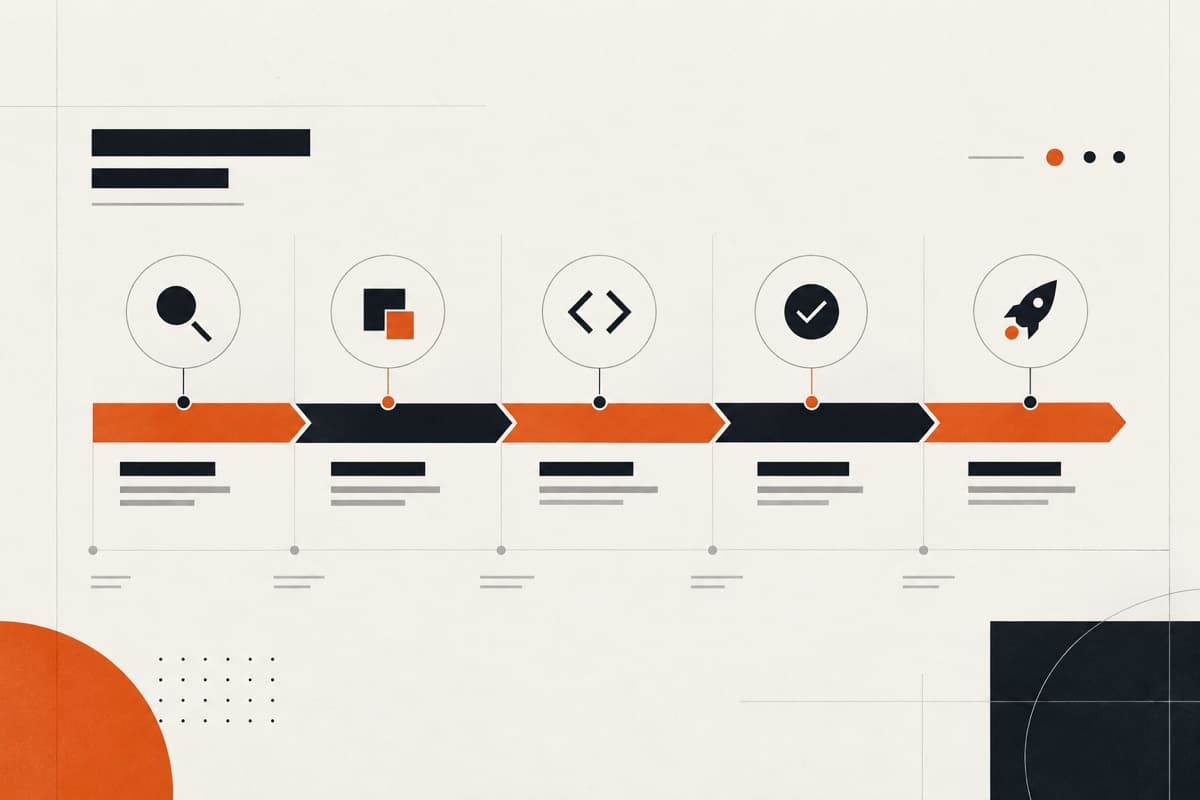
A strong process looks roughly like this:
Client brief ↓ Discovery ↓ Website scope ↓ Estimate and proposal ↓ Design and development ↓ QA and launch
The brief collects the initial information.
Discovery tests and expands it.
The scope translates it into defined deliverables.
The quote prices those deliverables.
That sequence prevents one of the most common commercial mistakes in website projects:
pricing an idea before the agency has properly defined the work behind it.
If you have collected the client brief and are now preparing the estimate, the next step is to scope the client website before you quote it.
What should your agency take away from this?
A useful website brief is not the document with the most questions.
It is the one that gives your team the right information.
The client should help you understand:
- their business;
- their users;
- their problems;
- their objectives;
- their content;
- their systems;
- their constraints;
- their stakeholders.
Your agency should use that information to determine:
- website strategy;
- architecture;
- UX;
- platform;
- implementation;
- delivery approach.
That division of responsibility is important.
Ask the client for the information only they can give you. Use your expertise to make the decisions they hired you to make.
The brief explains the context.
Discovery investigates it.
Scope defines the work.
The quote prices it.
Get that sequence right and the website has a much stronger foundation before anyone starts designing.
Sources
GOV.UK Service Manual — User research in discovery
Used for guidance around understanding likely users, what they are trying to do, their current experience and their problems before planning and building.
GOV.UK Service Manual — Learning about users and their needs
Used for the principle of understanding user goals, behaviours and barriers rather than basing decisions entirely on stakeholder assumptions.
Google Search Central — Site Moves and Migrations
Used for current guidance around identifying existing URLs, preparing URL mappings and redirects when website URLs change.
W3C Web Accessibility Initiative — Planning and Managing Web Accessibility
Used for current guidance on identifying accessibility goals, responsibilities, resources and evaluation during planning and throughout website production.
Practitioner discussions
Recent and historical Reddit discussions were used to identify recurring practitioner concerns around vague requirements, delayed content, stakeholder approvals and scope creep. These are treated as practitioner experience rather than authoritative evidence.
Turn the guidance into a dependable delivery system.
Oncreation works behind agencies on website structure, custom UI, development, QA and launch—with the agency remaining in control of its client relationship.