Before quoting a client website, define seven areas: the business goal, page and template system, functionality, content, integrations, responsibilities and launch boundaries. A useful scope states what will be delivered, who owns each input and approval, what is excluded and which unknowns must be resolved before the agency commits to a price.
“About 10 or 12 pages. Nothing too complicated.”
They want a price by Friday.
It sounds straightforward until you start asking questions.
Are those 12 pages built from four reusable templates or 12 different layouts? Is the copy finished? Are you migrating the existing blog? Does the contact form simply send an email, or does it need to create a contact in HubSpot? Who handles redirects? Does the client expect animation? Who approves the design? And what exactly does “SEO included” mean?
At that point, you have discovered the real problem:
You cannot price a website accurately until you know what you are actually being asked to deliver.
Good website scoping turns a loosely described project into a defined set of deliverables, responsibilities, assumptions, dependencies and boundaries that your agency can estimate.
It does not eliminate every unknown.
It identifies the unknowns before you commit to a price.
What should you scope before quoting a website?
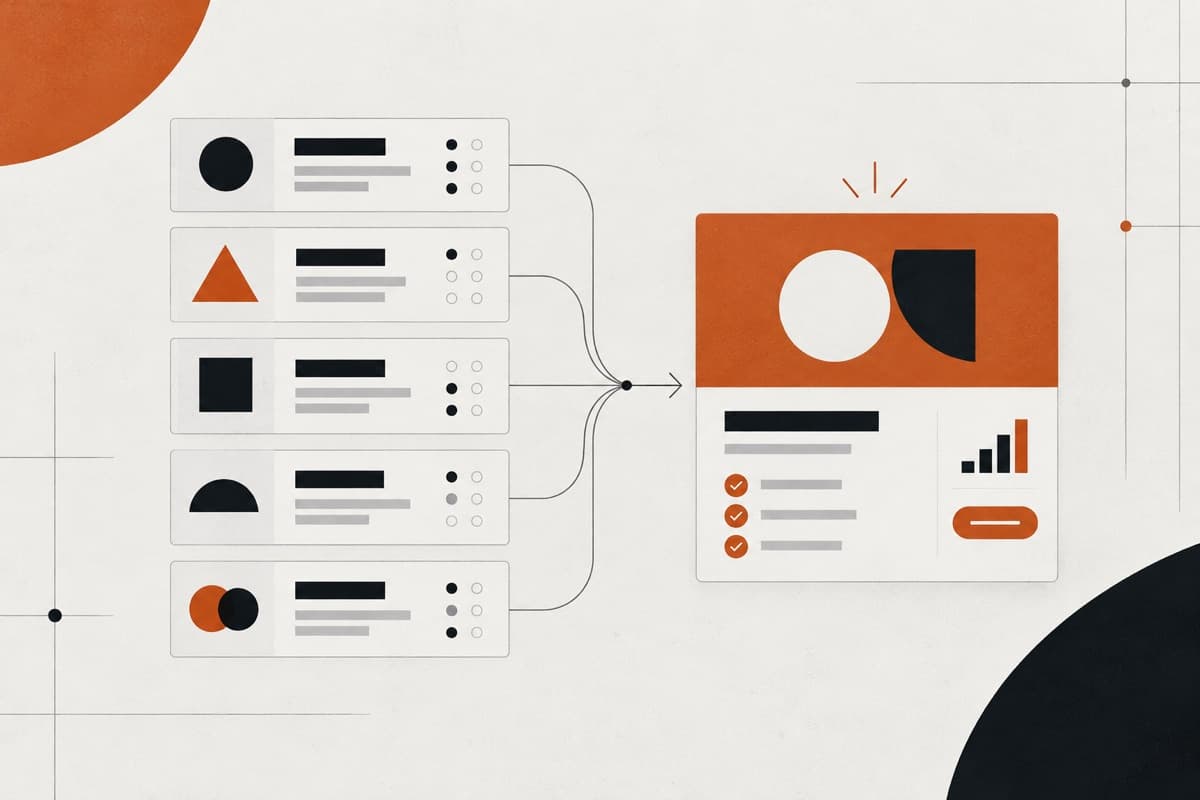
Before giving a fixed quote, you should understand seven areas:
- the business problem and website objective;
- the sitemap, pages and unique templates;
- functionality and integrations;
- content, assets and migration;
- technical and quality requirements;
- feedback, revisions and approvals;
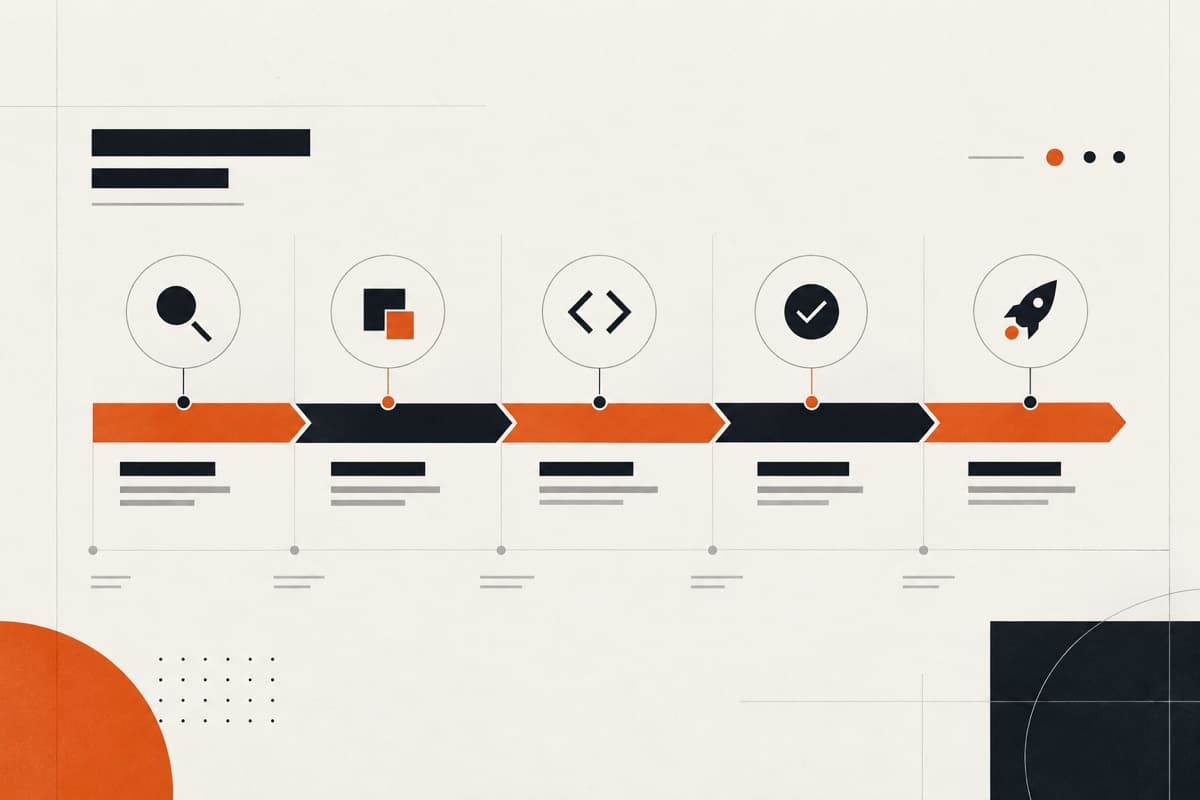
- launch, handover and post-launch responsibilities.
You should also document what is included, excluded, assumed, dependent on the client and still unknown.
If commercially significant questions remain unanswered, the project may not be ready for a fixed quote.
That is the short answer.
The rest of the scoping process is about getting those answers.
What does it mean to scope a website project?
Website project scope is the agreed definition of what a website project will deliver, what work is required to deliver it, who is responsible for each part, and where the project's boundaries sit.
A scope should allow your agency to answer questions such as:
- What are we designing?
- What are we developing?
- What functionality needs to work?
- What content are we responsible for?
- What needs migrating?
- What systems need integrating?
- What does the client need to provide?
- How will feedback work?
- How many revision rounds are included?
- What happens at launch?
- What isn't included?
- Which parts of our price depend on assumptions?
The purpose is not simply to create a longer proposal.
It is to make the work estimable.
There is an important distinction here.
A client requirement might say:
Build a 15-page website.
A delivery scope might say:
Build 15 published pages across five unique responsive page templates, including a reusable service-page template, case-study CMS, HubSpot contact form, migration of 25 existing case studies and production deployment.
The second description tells your delivery team considerably more about the work involved.
1. What problem does the website actually need to solve?
Before discussing WordPress, Framer, Shopify, page counts or animations, understand why the project exists.
A useful website scope starts with the client's situation.
Ask:
- Why is the client replacing or creating the website?
- Who are its main users?
- What are those users trying to accomplish?
- What should visitors do on the website?
- What is currently preventing that?
- Which user journeys matter most?
- How will the client judge whether the new website is successful?
- Is this primarily a repositioning project, lead-generation project, ecommerce project, migration, technical rebuild or combination?
This matters because technical requirements should follow the problem rather than define it.
GOV.UK's service-design guidance makes a similar distinction: scope should be based on the problem users need to solve rather than being dictated by organisational structures or technical choices.
Example
Imagine a professional-services client says:
“We need a more modern website.”
That is not yet a useful project objective.
Further discovery might reveal that the real issue is:
- the firm's services have changed;
- prospects cannot understand its positioning;
- individual practice areas are difficult to find;
- enquiries arrive for the wrong services;
- the existing CMS makes publishing difficult.
Now the scope can respond to actual problems.
Without that context, the agency may successfully deliver a more attractive website while failing to solve the reason the client commissioned it.
2. How do you determine the pages and templates that need to be built?
Page count is useful.
It is not enough.
One of the first mistakes agencies make during scoping is assuming:
more pages = proportionally more design and development.
The relationship is rarely that simple.
Consider two hypothetical projects.
Website A Website B
Published 15 15 pages
Unique layouts 4 12
CMS types 1 3
Integrations 1 simple form CRM + jobs + gated resources
Migration None 80 existing URLs
Animation Minimal Bespoke interaction
Content status Finished Still being produced
Both are technically “15-page websites”.
They are not remotely the same delivery scope.
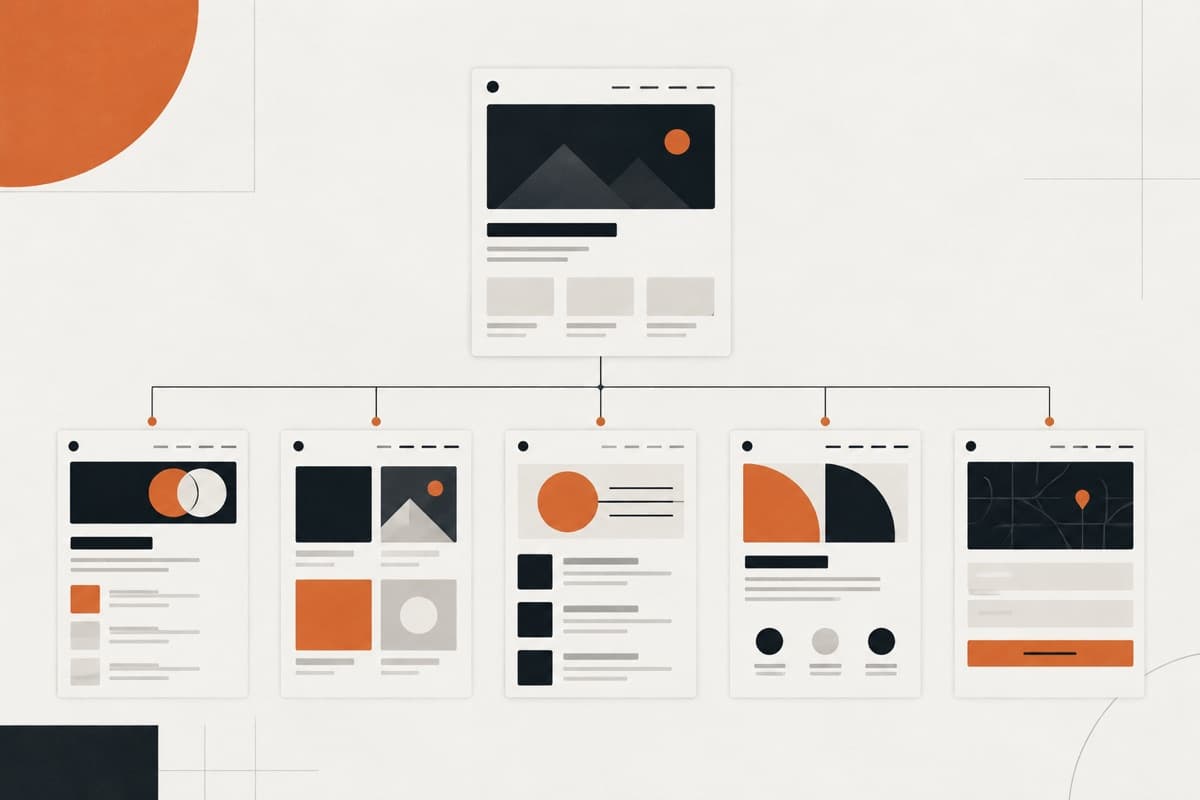
Start with the sitemap
Create a provisional sitemap showing every known page or page type.
For example:
- Home
- About
- Services ○ Service A ○ Service B ○ Service C
- Case Studies ○ Case Study Detail
- Insights ○ Article Detail
- Contact
Then determine which pages reuse a layout.
The three service pages may use one service template.
Twenty case studies may use one CMS-driven template.
Fifty blog articles may use one article template.
The important questions become:
How many pages will exist?
and separately:
How many unique things must we design and develop?
Identify CMS content types
If content will be repeatable, document the underlying content model.
Examples include:
- blog posts;
- team members;
- jobs;
- projects;
- products;
- locations;
- case studies;
- events;
- resources.
Do not leave “CMS included” as the requirement.
Ask what content needs managing, what fields it requires and how that content appears across the site.
Identify reusable sections
A reusable CTA, testimonial block or service grid may appear across 20 pages without requiring 20 separate implementations.
Equally, two pages that look similar in a sitemap may require completely different layouts and functionality.
Scope page volume and template complexity separately.
3. How should website functionality be scoped?
A feature name is not a specification.
This is where apparently small websites can become expensive.
Consider the requirement:
Login functionality.
That could mean:
Version A
- email;
- password;
- login;
- logout.
Or it could mean:
Version B
- email/password;
- email verification;
- forgotten-password flow;
- Google login;
- Apple login;
- OTP authentication;
- account management;
- role permissions;
- rate limiting;
- administrative controls.
The label is the same.
The implementation is not.
A 2026 practitioner discussion about scope creep highlighted this exact problem: vague specifications such as “login page” can result in the client and developer imagining substantially different functionality.
Turn features into behaviours
Whenever something “does” something, define what happens.
Instead of:
Contact form.
Document:
- fields;
- required fields;
- validation;
- conditional fields;
- file uploads;
- spam protection;
- success behaviour;
- email recipients;
- autoresponders;
- CRM destination;
- analytics event;
- data-storage requirements.
Instead of:
Booking system.
Ask:
- Is there an existing booking platform?
- Is this custom?
- Does it accept payments?
- Are there multiple appointment types?
- Multiple staff members?
- Cancellation rules?
- Availability rules?
- Calendar synchronisation?
- Automated reminders?
- Customer accounts?
Instead of:
Filterable resources.
Define:
- what can be filtered;
- whether multiple filters can be combined;
- whether search is included;
- how URLs behave;
- whether filters need to be indexable;
- what happens when no results exist;
- how the content is administered.
Scope integrations separately
For every third-party system, determine:
- what platform is involved;
- whether a documented native integration exists;
- what data moves between systems;
- in which direction the data moves;
- what triggers the transfer;
- what happens if it fails;
- whether credentials or developer access are available;
- whether custom API development may be required.
“Integrate with our CRM” should never be treated as sufficient technical scope.
4. Who is responsible for the content?
Content is one of the easiest project dependencies to underestimate.
A beautiful Figma file does not tell you who is going to produce:
- homepage copy;
- service copy;
- case studies;
- photographs;
- team biographies;
- legal content;
- blog content;
- product data;
- downloadable PDFs;
- metadata.
Before quoting, decide responsibility for each.
Define content responsibilities explicitly
Your scope might state:
Client provides
- approved website copy;
- brand assets;
- photography;
- team information;
- legal policies.
Agency provides
- sitemap;
- wireframes;
- copy structure;
- UI design.
Development partner provides
- CMS implementation;
- content population for agreed pages;
- QA;
- deployment.
That is far safer than writing:
“Content supplied by client.”
Ask whether content is actually ready
There is a significant difference between:
Client will provide finished copy before design begins.
and:
Client is currently writing the copy.
The second creates a delivery dependency.
Late content can affect:
- layout;
- page count;
- component requirements;
- design approvals;
- development;
- QA;
- launch.
Document the dependency rather than silently absorbing it into the timeline.
5. Does existing website content need to be migrated?
A redesign does not necessarily begin with an empty CMS.
If there is an existing website, determine what happens to its content.
Ask:
- How many existing pages are there?
- How many blog posts?
- Are all of them being retained?
- Are some being consolidated?
- Will URLs change?
- Who decides what gets migrated?
- Is migration automated or manual?
- What metadata needs preserving?
- Are images being migrated?
- Are downloadable documents moving?
- Are legacy redirects required?
SEO migration should be scoped, not assumed
For websites where URLs change, SEO migration is a real workstream.
Google currently recommends preparing a mapping between existing and new URLs, implementing permanent redirects, testing them, updating internal links and monitoring the site after migration. Google also recommends retaining redirects for as long as possible—generally at least a year.
Therefore:
“SEO included”
is not a useful scope description.
Something like this is:
Existing URLs will be mapped to their closest relevant new destinations, agreed redirects will be implemented and tested, internal links will be updated and agreed post-launch Search Console checks will be completed.
That tells everyone what the agency actually means by migration support.
6. What technical requirements need to be agreed before pricing?
Not every website needs a 30-page technical specification.
But technical assumptions can materially affect delivery effort.
At minimum, investigate the areas relevant to the project.
Platform
Is the project being built in:
- WordPress;
- Shopify;
- Framer;
- another CMS;
- a custom stack?
More importantly:
Has the platform already been decided for a good reason?
Do not let the preferred tool of the designer or developer automatically dictate the client's architecture.
Responsive behaviour
“Responsive website” should not mean:
We'll figure mobile out during development.
Clarify:
- which responsive states are designed;
- whether the developer is expected to infer intermediate behaviour;
- what happens to complex navigation;
- how tables behave;
- how interactive components adapt;
- whether mobile designs require materially different functionality.
Browser/device support
If a client has specific browser or device requirements, capture them before development.
This becomes particularly important for:
- enterprise organisations;
- legacy corporate environments;
- public-sector organisations;
- specialist applications.
Accessibility
Do not use “accessible website” as another vague promise.
Determine what accessibility standard or expectation the project is working towards and who owns validation.
W3C's current accessibility planning guidance explicitly recommends defining goals, scope, responsibilities, budget/resources and evaluation throughout the production process rather than treating accessibility as a final-stage check.
For some projects, accessibility will require additional:
- design consideration;
- content work;
- development;
- testing;
- documentation.
It therefore belongs in scope.
Analytics and tracking
Define requirements such as:
- GA4;
- Google Tag Manager;
- Meta Pixel;
- consent management;
- conversion events;
- CRM attribution;
- ecommerce tracking.
“Analytics setup” can otherwise mean very different things to different people.
Hosting and environments
Agree:
- who provides hosting;
- whether staging is required;
- who controls DNS;
- who has domain access;
- whether CDN/security services are involved;
- whether existing hosting is being retained;
- who deploys production.
These details may appear operationally minor until launch week.
7. How should feedback, revisions and approvals be scoped?
A project can be perfectly scoped technically and still become unprofitable through its approval process.
Imagine the design is sent to one client contact.
Then feedback arrives from:
- the founder;
- marketing manager;
- sales director;
- operations team;
- founder again.
Often separately.
That creates a different project from one where a single decision-maker provides consolidated feedback.
Define the approval structure
Before quoting, ask:
- Who is the primary project contact?
- Who has final approval authority?
- How many stakeholders are involved?
- Will feedback be consolidated?
- How will feedback be submitted?
- What stages require approval?
- What happens once a stage has been approved?
Define revision rounds
A revision round should mean something.
For example:
One revision round means one consolidated set of feedback submitted by the nominated client contact against the agreed deliverable.
That is much clearer than:
Two revisions included.
Practitioner discussions regularly describe scattered feedback and unclear revision boundaries as sources of extended projects and scope disagreement.
Separate revisions from new requirements
A revision changes something already within the agreed requirement.
A change request changes the requirement itself.
For example:
Revision
Make the hero headline smaller.
Potential change request
Add a pricing calculator underneath the hero.
Another example:
Revision
Change which three case studies appear on the homepage.
Potential change request
We now want users to filter all case studies by industry and service.
Your proposal should define what happens when a change request appears.
Usually that means assessing its effect on:
- cost;
- timing;
- dependencies;
- previously approved work.
8. What happens at launch?
Many website scopes are detailed until development is finished and vague from that point onwards.
Define launch before quoting.
Ask who owns:
- final QA;
- client UAT;
- content checks;
- analytics verification;
- redirects;
- DNS changes;
- SSL;
- cookie configuration;
- production deployment;
- Search Console;
- form testing;
- post-launch checks.
Then define what happens afterwards.
Does the project include:
- CMS training?
- documentation?
- recorded walkthrough?
- maintenance?
- hosting?
- bug-fix period?
- ongoing updates?
- retained development support?
There should be a clear point at which the project moves from:
delivery
to:
ongoing support.
Without that boundary, “just one more change” can continue long after launch.
What should be explicitly excluded from a website scope?
A useful exclusion is something a reasonable client might otherwise assume was included.
Examples might include:
- copywriting unless specified;
- brand identity development;
- photography;
- video production;
- additional page templates;
- multilingual functionality;
- accessibility audits beyond agreed testing;
- custom third-party API work not identified during discovery;
- ongoing SEO;
- hosting;
- third-party subscription fees;
- post-launch content entry;
- ongoing maintenance;
- functionality not documented in the agreed specification.
Avoid relying entirely on:
Anything not mentioned is out of scope.
A legal agreement may contain broad protective language, but a good operational scope makes important boundaries understandable before they become disputes.
What assumptions should be included in the quote?
Not everything needs to be known with absolute certainty.
Sometimes you can quote based on a reasonable assumption.
The important part is writing it down.
For example:
Pricing assumes all final copy and approved imagery will be provided before UI design begins.
Or:
Pricing assumes HubSpot's existing native form integration will meet the client's requirements and no custom API development will be required.
Or:
Pricing assumes the existing WordPress posts can be exported in a format suitable for migration without substantial manual cleaning.
Or:
Pricing assumes feedback will be consolidated by one nominated client contact.
An assumption allows you to estimate despite uncertainty without pretending the uncertainty does not exist.
Defined, assumed or unknown?
A useful way to review scope before pricing is to classify requirements into three groups.
Status Meaning What to do
Defined The requirement is sufficiently understood Estimate it
Assumed The estimate relies on something being true Document the assumption
Unknown Missing information could materially change the Investigate before work committing
Consider a redesign involving an existing CRM.
Defined
The website requires 12 published pages across five unique templates.
You can estimate that.
Assumed
The client will provide approved copy before UI design.
You can quote with that assumption documented.
Unknown
The client says the website must “fully integrate” with a proprietary CRM, but nobody has checked its API or documented the required data flows.
That could materially change the work.
Do not quietly price the unknown as though it were defined.
How do you know when a website is ready to quote?
Before issuing a fixed price, run a simple quote-readiness check.
Can you answer these questions?
Website Quote Readiness Test
- What problem is the website solving?
- What are we actually delivering?
- How many unique page templates need designing?
- Which CMS content types are required?
- What functionality must work?
- What third-party systems need integrating?
- What existing content needs migrating?
- Who supplies copy and assets?
- What technical requirements apply?
- Who provides feedback and approval?
- How many revision rounds are included?
- What happens at launch?
- What happens after launch?
- What is explicitly excluded?
- Which assumptions affect the estimate?
- What commercially significant unknowns remain?
You do not need perfect information about every minor detail.
You need enough information that the remaining uncertainty is unlikely to substantially change the work you are pricing.
If you cannot say that confidently, you may not be ready to issue a fixed quote.
When should you charge for discovery before quoting?
Not every website needs paid discovery.
A straightforward marketing site may be scoped through:
- an existing client brief;
- one or two meetings;
- sitemap review;
- technical questions;
- a relatively small amount of pre-sales work.
Other projects are different.
Consider:
- complicated ecommerce migrations;
- undocumented internal systems;
- membership platforms;
- large content estates;
- proprietary APIs;
- multi-region websites;
- complicated product architecture;
- projects with several stakeholder groups;
- legacy systems nobody fully understands.
At some point, answering:
“What exactly are we building?”
requires meaningful strategy, technical investigation or architecture work.
At that point, discovery itself has become a deliverable.
A discovery phase might produce:
- requirements;
- sitemap;
- information architecture;
- user journeys;
- functionality specification;
- technical recommendations;
- integration assessment;
- migration plan;
- project assumptions;
- delivery roadmap;
- refined budget.
The important principle is:
Do not provide false pricing precision simply because the client wants a number quickly.
An estimate built on major unknowns is not necessarily more helpful than saying what must be discovered first.
A practical website scoping example
Imagine a marketing agency receives this enquiry:
“We need a modern WordPress website. Probably 12 pages. Can you send us a quote?”
At first glance, the scope appears to be:
12-page WordPress website.
After a proper scoping conversation, the agency discovers:
Structure
- 12 published pages;
- six unique page templates;
- service-page template;
- case-study CMS;
- blog CMS.
Functionality
- HubSpot forms;
- careers integration;
- downloadable resources;
- site search.
Content
- client supplies final page copy;
- client supplies photography;
- agency populates agreed core pages.
Migration
- 65 existing blog posts;
- existing case studies;
- legacy URLs requiring redirect mapping.
Technical
- WordPress;
- responsive development;
- agreed accessibility requirements;
- GA4/GTM;
- cookie consent;
- staging environment.
Process
- one nominated client contact;
- two consolidated UI revision rounds;
- one UAT round.
Launch
- QA;
- redirect implementation;
- DNS coordination;
- production deployment;
- agreed post-launch checks.
Now the delivery team has something it can estimate.
The scoping process did not make the project larger.
It revealed how large the project already was.
Vague requirements vs scope-ready requirements
Vague Scope-ready
10-page website 10 published pages across five unique templates
Contact form Seven-field form submitted to HubSpot with validation and confirmation state
Blog Existing posts migrated into an agreed CMS structure and article template
Responsive Desktop and mobile implementation with agreed behaviour for key components
SEO included Agreed redirect mapping, metadata migration and launch checks
CRM integration HubSpot submission through agreed native integration
Revisions Two consolidated design revision rounds included
Website launch Production deployment, agreed DNS coordination, QA and post-launch checks
The goal is not to make every requirement unnecessarily technical.
It is to remove ambiguity that could materially affect effort.
Common website scoping mistakes
Quoting from page count alone
Page count tells you something.
Template complexity, functionality, migration and content responsibility often tell you more.
Starting from the platform
“We'll build it in WordPress” is not a website strategy.
Understand the requirement before selecting or validating the technology.
Leaving functionality as feature names
“Booking”, “portal”, “filtering”, “membership” and “integration” can hide substantial variation.
Describe behaviour.
Assuming content will arrive on time
If delivery depends on client content, say so.
Better still, define what happens if it does not arrive.
Writing “SEO included”
Specify which SEO responsibilities are actually included.
A redesign with URL changes can require migration planning, redirects, metadata work and post-launch monitoring.
Leaving accessibility until QA
If accessibility matters to the project, define the required standard, responsibilities and testing approach early. W3C specifically recommends integrating accessibility planning and evaluation throughout the production process.
Accepting feedback from everyone independently
Define a feedback owner and ask for consolidated comments.
Treating new requirements as revisions
Changing the design of an agreed feature and introducing an entirely new feature are not necessarily the same thing.
Ignoring launch
DNS, redirects, production deployment, analytics and post-launch checks require ownership.
Hiding uncertainty inside the price
The most dangerous requirement is often not the expensive one.
It is the one nobody has properly investigated.
What should your agency do before sending the quote?
Do not ask:
“Do we have enough information to put together a proposal?”
Ask:
“Do we understand the work well enough to price the risk?”
If the project is straightforward, that may take one structured discovery conversation.
If some uncertainty remains but can reasonably be handled through documented assumptions, state those assumptions.
If major questions remain around architecture, functionality, integrations or migration, investigate those questions first.
And if establishing the requirements requires meaningful strategic or technical work, consider making discovery a separate project phase.
The objective is not to predict every conversation that will happen over the next three months.
It is to make sure the price your agency commits to corresponds reasonably closely to the website everyone expects you to deliver.
That protects:
- the agency's margin;
- the delivery team's workload;
- the project timeline;
- the client relationship;
- and ultimately the quality of the finished website.
Good scoping is therefore not simply project administration.
It is one of the most important commercial controls in website delivery.
If your agency already handles the strategy and client relationship but needs dependable capacity once a website has been properly scoped, Oncreation works behind the scenes as a white-label website delivery partner for agencies across strategy, design, development, QA and launch.
Sources
GOV.UK Service Manual — Getting the scope of your transaction right Used for the principle of scoping around user problems rather than allowing technical choices to define the solution.
GOV.UK Service Manual — User research in discovery Supports the role of discovery in understanding users, their tasks and their problems before planning and building.
Google Search Central — Site Moves and Migrations Used for current guidance around URL mapping, permanent redirects, testing, Search Console and migration planning.
W3C Web Accessibility Initiative — Planning and Managing Web Accessibility Used for accessibility planning, responsibility and integration throughout website production.
Practitioner discussions — web design scope creep and revisions Used to understand recurring practitioner problems around ambiguous functionality, scattered feedback and revision boundaries. These are treated as practitioner experience rather than universal evidence.
Turn the guidance into a dependable delivery system.
Oncreation works behind agencies on website structure, custom UI, development, QA and launch—with the agency remaining in control of its client relationship.